
Generate Invoice Online with a Simple and Consistent Workflow
Published: October 29, 2025
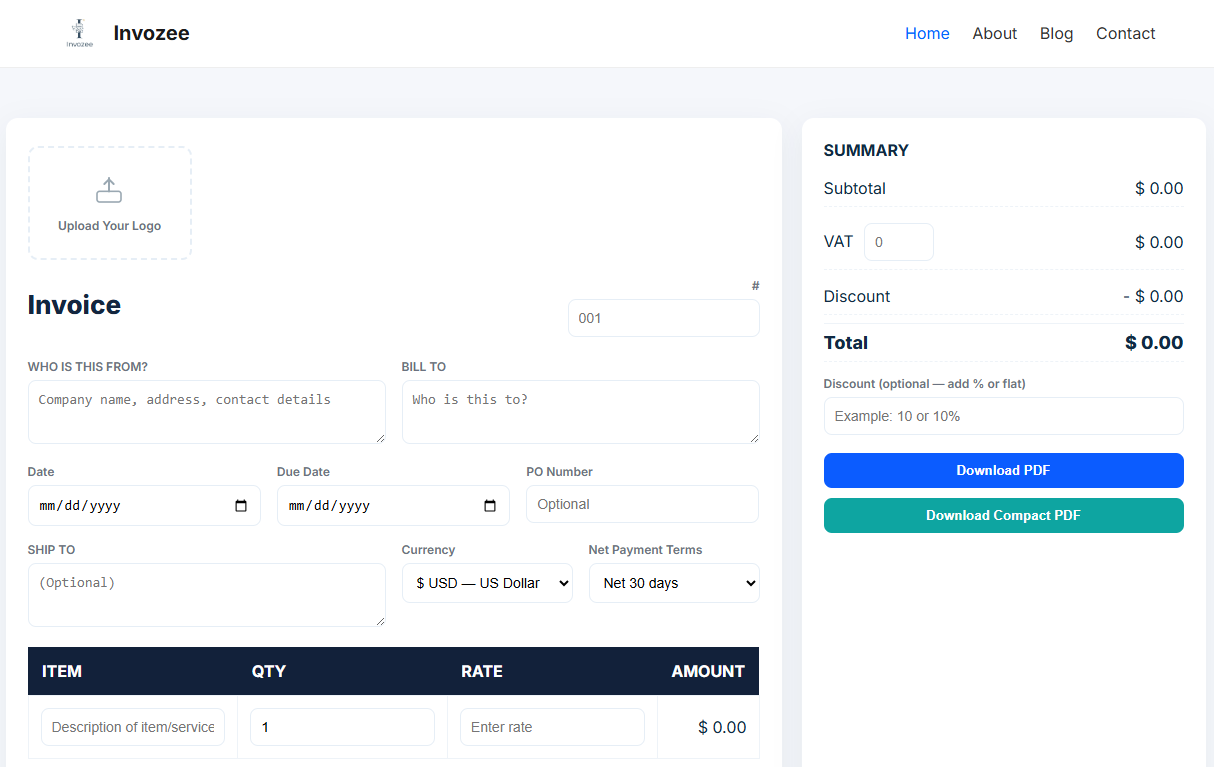
Creating a clean invoice does not have to be slow. With an online generator you can build a professional PDF in minutes. Enter your details, add line items, check totals and download. The goal is clarity and speed so your client approves without confusion and pays on time.
Set up the essentials once
Collect the information you reuse so every invoice takes only a few steps.
- Business name, address and contact email
- Logo in a clear image file
- Default currency and tax rates
- Payment terms such as due in thirty days
- Bank transfer details or a link to your payment page
Create a complete invoice in four steps
- Open Invozee and enter your business and client details.
- Add items with quantity and rate. Check the subtotal, tax and total amount due.
- Write a short payment note and set the due date.
- Download the PDF and send it from your email client.
What a complete invoice should include
- Your business details and logo
- Client details
- Invoice number and issue date
- Items with quantity, rate and tax
- Total amount due and a due date
- Payment instructions and a short note if needed
New to invoice structure. Read How to Create an Invoice for Freelancers for layout guidance. If a client asks for a receipt, share Invoice vs Receipt. For ready made layouts, see Top 5 Free Invoice Templates for 2025.
Keep records and stay compliant
Store PDFs in a single folder with consistent names. Use a simple sequence for invoice numbers and keep a short log. For general invoicing concepts and record keeping, review the IRS invoicing basics. For practical formatting ideas, browse the HubSpot small business library.
Frequently asked questions
Can I generate an invoice online without creating an account
Yes. You can use a browser based generator and download the PDF. It is a quick way to create an invoice for a one time project or a new client.
How do I avoid errors when I fill line items
Use short item names, add quantity and rate carefully, and confirm tax or discount fields before you download. A brief final review prevents most mistakes.
What file format should I send to clients
Send a PDF. It preserves layout and totals across devices and is easy for clients to forward to their accounts team.
Can I reuse the same invoice layout next time
Yes. Save your details and follow the same steps each time. Keeping the structure consistent helps clients approve faster.
Final thoughts
Generating an invoice online should be simple and reliable. Set up your details once, keep your numbering consistent and use a short checklist each time. When you want a smooth path from creation to PDF, Invozee is ready to help.