
Commercial Invoice Template — Free Guide and How to Create One Online
Published: November 6, 2025
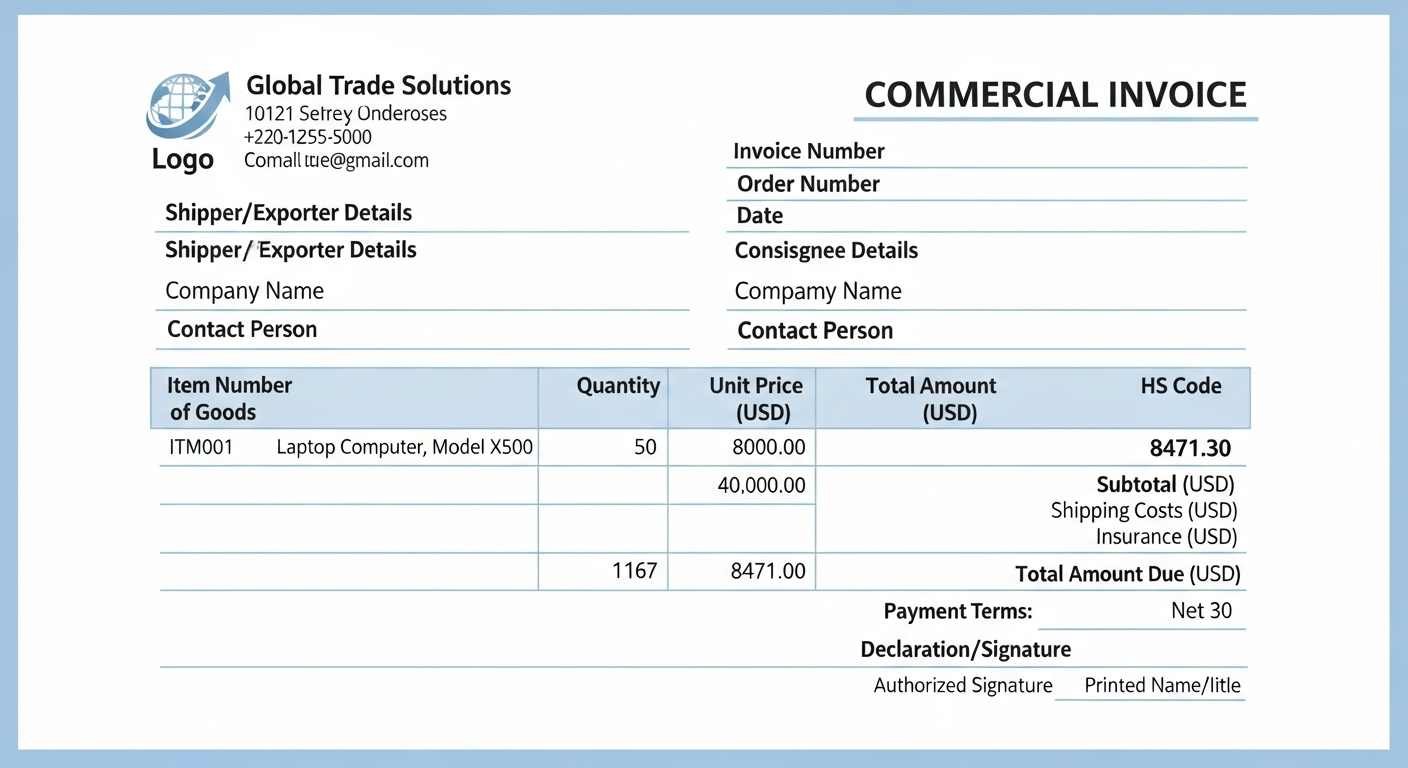
Summary: A commercial invoice is a core export document. Customs uses it to understand what you are shipping, its value, and the trade terms. This guide explains the format, required fields, and practical examples, then shows a simple way to create a clean PDF with Invozee so your shipments move without confusion.
When your order crosses a border, paperwork can be the difference between a smooth clearance and a frustrating delay. A clear commercial invoice helps carriers, brokers, and customs officers verify the shipment in minutes. The goal is accuracy and consistency. Keep product names clear, use correct HS codes, and ensure values align with your purchase orders and packing lists.
What is a commercial invoice
A commercial invoice describes the goods you export. It lists the seller and buyer, product descriptions, quantities, unit price, currency, declared value, country of origin, and trade terms. Customs relies on it to assess duties and taxes. Think of it as the financial and descriptive snapshot of your shipment.
When you need it
- Any time physical goods move across borders
- When a carrier or customs broker requests documentation
- When your buyer requires proof of value for import compliance
Key fields to include
- Seller and buyer legal names and addresses
- Invoice number and date and purchase order reference
- Detailed product descriptions that are specific and clear
- HS codes that match each item
- Quantity and unit price and currency
- Declared total value and discounts when applicable
- Country of origin for each product
- Incoterms and payment terms
- Package count and weight if requested
Example format
| Field | Example |
|---|---|
| Seller | ABC Tech Ltd, 12 King Street, London, UK |
| Buyer | XYZ Imports LLC, 100 Harbor Ave, New York, USA |
| Invoice | CI-2025-104 and Date 06 Nov 2025 and PO 4558 |
| Description | Wireless Headphones Model H200 |
| HS Code | 8518.30 |
| Quantity | 500 units |
| Unit Price | USD 48.00 |
| Value | USD 24,000.00 |
| Country of Origin | United Kingdom |
| Incoterms | CIP New York |
Commercial invoice vs tax invoice
They serve different jobs. A tax invoice vs commercial invoice comparison shows the split. The tax invoice is for domestic taxable sales and input tax credit. The commercial invoice is for customs and logistics. Many exporters issue both when they have a domestic sale and an international shipment tied to the same order.
Best practices for smooth clearance
- Match product names across invoice, packing list, and labels
- Use correct HS codes and confirm with your broker
- Keep values consistent with purchase orders and contracts
- Include Incoterms and payment terms clearly
- Store a PDF copy with the same invoice number in the filename
Create a clean commercial invoice PDF online
- Open Invozee.
- Add your business and buyer details, then list items with clear names.
- Enter HS codes, quantities, unit prices, currency, and declared value.
- Write a short note with Incoterms and any special instructions.
- Preview and download a professional PDF and share it with your carrier.
For layout ideas and consistent structure you can also review How to Create an Invoice for Freelancers and Top 5 Free Invoice Templates for 2025. If a customer asks about receipts after payment, point them to Invoice vs Receipt.
EEAT references and further reading
For detailed invoicing advice and templates see the HubSpot invoice templates guide. For a general view of invoicing tools and good documentation practices review Forbes Advisor on invoicing software.
Frequently asked questions
Do I need a commercial invoice for every export
Yes for physical goods. Customs needs it to identify the shipment and assess duties.
Can I email a PDF commercial invoice to my broker
Yes. A PDF is the standard format accepted by carriers and brokers.
What happens if HS codes are missing
Clearance can be delayed. Always confirm codes and keep them consistent across documents.
Is one invoice number enough for all documents
Use the same invoice number across your commercial invoice and related paperwork and reference the packing list and order numbers.
Can I include a tax breakdown
Commercial invoices focus on customs valuation. If you need a domestic tax record, issue a separate tax invoice.
Final thoughts
A clear commercial invoice reduces questions and keeps shipments moving. If you keep descriptions specific and values consistent across documents, brokers and customs can process your goods faster. When you are ready to prepare the next order, create a professional PDF in a few minutes and save it with a clean file name that includes the invoice number and date.
Create your commercial invoice as a clean PDF now with Invozee.