
ATO Invoice Template: A Simple Layout for Australian Tax Invoices
If you send invoices in Australia, you have probably searched for an ATO invoice template at least once. You want something that feels simple and professional, but still lines up with what the Australian Taxation Office expects from a tax invoice.
The good news is that you do not need a complex legal document. With a clear layout and the right labels in the right places, your invoices can be easy for clients to read and easier for you and your accountant to track inside Invozee.
Key takeaways
- An ATO invoice template is just a repeatable layout that follows core Australian tax invoice rules.
- Your template should clearly show your details, your customer’s details, the words “Tax invoice”, line items, GST (where relevant), and totals.
- Once you build one good template in Invozee, you can reuse it instead of rebuilding every invoice from scratch.
- This guide is for workflow ideas only. For final decisions, always rely on official ATO guidance or a registered tax or BAS agent.
What is an ATO invoice template
An ATO invoice template is a simple tax invoice layout that helps you include the details the Australian Taxation Office expects to see when GST is involved. In practice it is just a document that keeps all the essential elements in one consistent format.
The exact requirements can change over time, so this article is about structure rather than law. When you want the official position, always check the latest guidance on the ATO website or speak to a registered tax or BAS agent.
ATO-friendly invoice layout at a glance
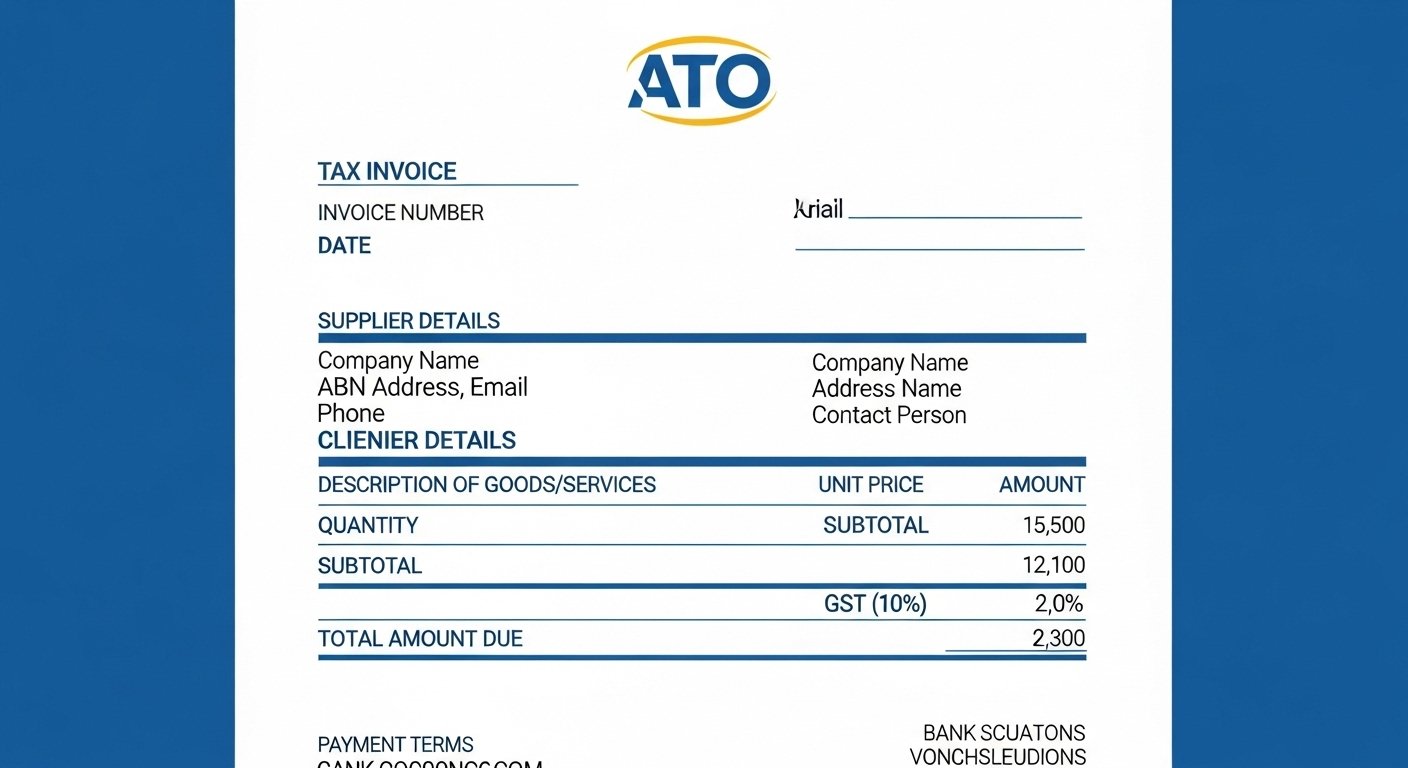
Before going into the details, it helps to visualise the basic structure of your template. Top to bottom, a typical ATO-friendly invoice layout looks like this:
High-level layout
- Header: Your logo, business name and contact details.
- Invoice identity: The words “Tax invoice”, plus invoice number and date.
- Customer details: Client name, address and contact reference.
- Line items: Description, quantity, unit price and line totals.
- GST and totals: Subtotal, GST amount where applicable and total amount payable.
- Payment section: Due date, payment terms and how to pay.
- Notes: Optional short note for extra context or thank-you message.
Step-by-step: how to build your own ATO invoice template
Let us walk through each part of your template and how to design it so you can reuse it every time.
1. Header: your details and branding
Start by locking in details that rarely change. This saves time and keeps your brand consistent.
- Your business name and trading name (if different).
- Your Australian Business Number (ABN).
- Your postal address or registered business address.
- Contact email and phone number.
- Your logo in a clear, readable size.
2. Invoice identity: make it clear it is a tax invoice
Somewhere near the top, your template should clearly indicate that this is a tax invoice and make the invoice easy to reference later.
- Place the label “Tax invoice” near the top of the page.
- Add a unique invoice number with a simple pattern (for example: INV-2025-001).
- Include the invoice issue date (and due date if you prefer).
If you are just getting started with invoice numbering, you can borrow ideas from more general articles like our invoice guide for freelancers, then adapt them for ATO use.
3. Customer section: who you are billing
Under your own details, clearly show who the invoice is for.
- Client or company name.
- Client address.
- Contact name and email (optional but helpful).
- Customer reference or purchase order number if provided.
4. Line items: what you supplied
This is the heart of your ATO invoice template. Each line should help your client and their accountant understand exactly what they are paying for.
- Description: Clear wording for the product or service.
- Quantity or hours: How much you supplied.
- Unit price: Price per unit or per hour.
- Line total: Quantity multiplied by unit price.
- GST indicator: A column or note for whether GST applies to each line if you need that level of detail.
For ideas on naming and structuring services, you can also look at more general template content such as our free invoice templates for 2025, then adjust them to fit Australian wording.
5. GST and totals
Your totals section should be very easy to read. A typical block will show:
- Subtotal (before GST).
- GST amount, if charged.
- Total amount payable.
Depending on your situation, you may also include:
- GST included in the total, if that is how you quote prices.
- A short note if some items are not subject to GST.
6. Payment details and terms
Finally, make it effortless for your client to pay you.
- Payment due date.
- Accepted payment methods.
- Bank account details or secure payment link.
- Short, friendly note such as “Thank you for your business”.
UX tips so clients can scan your ATO invoice in seconds
Design matters more than most people realise. A busy accounts person might be looking at dozens of invoices in a single afternoon. A clearer layout can make your invoice the easy one to approve.
Use simple, readable fonts
Stick to one main font and use size and weight, not fancy styles, to show what is important. Headings can be slightly larger and bold, while body text stays clean and consistent.
Group related information
Keep your own details together, your customer details together and your totals grouped at the bottom right or left. This reduces the “visual search” effort for your reader.
Highlight the amount due and due date
Make the total amount and the due date very easy to find. A small bold label or slightly larger font is usually enough. You do not need loud colours for a professional invoice.
Keep notes short and specific
If you add extra notes, keep them brief and practical. Long paragraphs at the bottom of an invoice are rarely read and can distract from the key numbers.
Turning the template into a workflow inside Invozee
Having an ATO invoice template on paper or in a document is a good start. The real efficiency gains come when you turn it into a repeatable workflow inside a tool like Invozee.
Save your ATO template as a reusable layout
Set up your layout once in Invozee, including your business details, ABN, standard tax wording and preferred numbering pattern. From there you simply choose the template and add client-specific details each time.
Reuse client and product details
When clients reorder or projects extend, you do not need to retype everything. Invozee stores clients, items and typical descriptions, so you can build complete invoices in a few clicks.
Keep a clean invoice history
Instead of hunting through folders or email threads, you can see paid, unpaid and overdue invoices in one place. That makes it easier to work with your accountant and respond quickly if the ATO ever asks for supporting records.
Turn your ATO invoice template into a one-click workflow
Build your ATO-friendly tax invoice template once in Invozee and reuse it for every job. Keep your details consistent, your layout clear and your cash flow easier to track.